
Run Your Own Supermarket: A Cozy Store Management Game
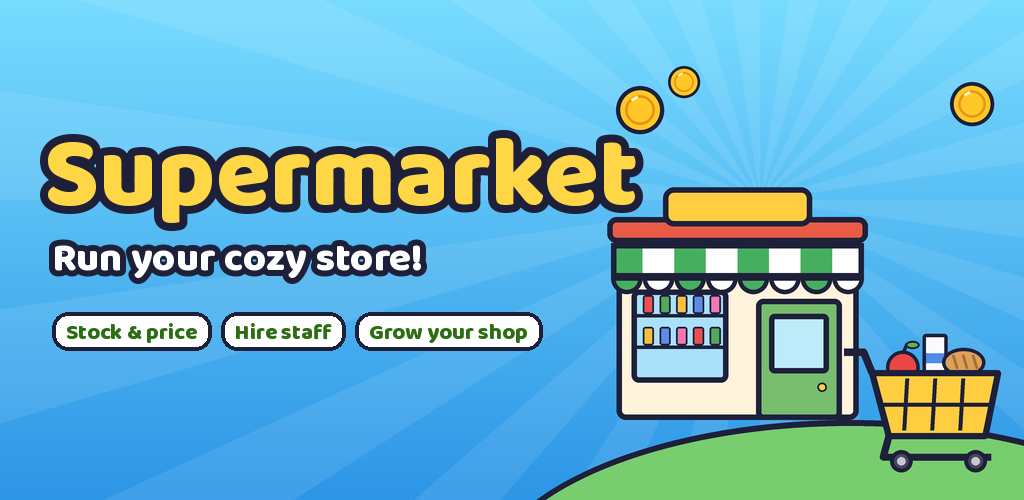
Some games ask you to save the world. Supermarket asks you to do something quieter and, strangely, just as satisfying: run a shop. Order the stock, fill the shelves, set prices that actually make money, hire people when the work grows past what two hands can do, and slowly turn a tiny corner store into the place everyone in town visits. It is now live on Google Play, and this guide covers how your first days work — plus the habits that grow a store fastest.
The job, in one paragraph
You own a store. Customers walk in and buy what is on your shelves — so your whole business runs on three loops. First, keep shelves stocked: order products, carry the boxes in, and place goods where shoppers can reach them. Second, price for profit: every product has a cost and a selling price, and the gap between them is your living. Third, grow: serve customers, level up, unlock new licenses and products, hire staff, and expand what your store can sell. Around those loops sit deliveries to manage, energy to spend wisely, empty boxes to recycle, and a public leaderboard where your store name and total revenue show how your shop stacks up.
Your first day, step by step
- Order stock before you open. An empty shelf sells nothing. Your first order is the foundation of your first day of sales — get goods on the shelves before the customers arrive.
- Set prices with a margin. Check what each product costs you, then set a price above it. The early game forgives small mistakes, so experiment: if something flies off the shelf, it may be priced too low; if it gathers dust, it is too high.
- Open the doors and serve. Customers buy what is available. Keep an eye on which shelves empty first — that is your demand signal for the next order.
- Reorder before you run out. Deliveries take time, so order while you still have stock on the shelf, not after the last item sells.
- End the day richer than you started. Every day finished is progress: money earned, experience toward the next level, and a clearer picture of what your customers actually want.
The 5 systems that make or break your store
1. Stocking. Products live on shelves, and shelves have limited space. The art of the game is matching what you order to what customers buy — too much of one thing ties up money, too little of another means lost sales. Watch your best sellers and reorder them first.
2. Pricing. You control every price tag. This is the purest business decision in the game: a small margin times many sales can beat a big margin times few sales. Adjust prices when demand tells you to, not on a schedule.
3. Staff. At first you do everything yourself. As the store gets busier, hire cashiers and shelf workers so customers keep flowing while you focus on ordering, pricing and expansion. Hiring at the right moment — just before the rush overwhelms you — is a skill of its own.
4. Deliveries and energy. Stock arrives by delivery, and running the store costs energy. Plan orders around delivery times and keep an eye on your energy so the shop never stalls in the middle of a busy day.
5. Recycling. Empty boxes are not waste. Staff clear them away, and recycling them turns them into energy — a small loop that rewards a tidy store and keeps everything moving.
7 tips to grow faster
- Never let a best seller run out. A stocked shelf earns; an empty one just takes up space. Reorder your top sellers early.
- Price for profit, then adjust. Start with a healthy margin and let sales tell you whether to nudge prices up or down.
- Hire before you drown, not after. If you spend all day restocking and serving, you are not managing — hire help and get back to decisions.
- Recycle every box. It is free energy for a tidy store. Empty boxes left lying around are energy left on the table.
- Order around deliveries. Place orders while shelves still have stock, so the next delivery lands just as the old stock runs out.
- Pick a store name you like. It appears on the public leaderboard next to your total revenue — make it yours, and keep real personal details out of it.
- Save online when you can. You can play without an account, but creating one backs your store up online so you never lose progress if you switch phones.
Good to know before you start
Supermarket is free to play, with optional in-app purchases and optional rewarded ads — a Remove Ads purchase turns off banner ads. You can play without an account, or create one to save your progress online. The game supports English, Spanish, Portuguese, Indonesian and Vietnamese, and it is intended for players aged 13 and over. The full details live in the Privacy Policy and Terms of Use.
Supermarket is now live on Google Play — download it from the store listing or the game page, then start planning your shop: what would you name it?