
Launchpad Pro Web — A Launchpad-Style Music Pad, Free in Your Browser
No install, no sign-up, no hardware. Open the page and your screen becomes an 8x8 pad grid: play melodies in any scale, trigger drums, build beats, layer loops, record your own samples, or learn songs step by step — on your phone, tablet or computer.
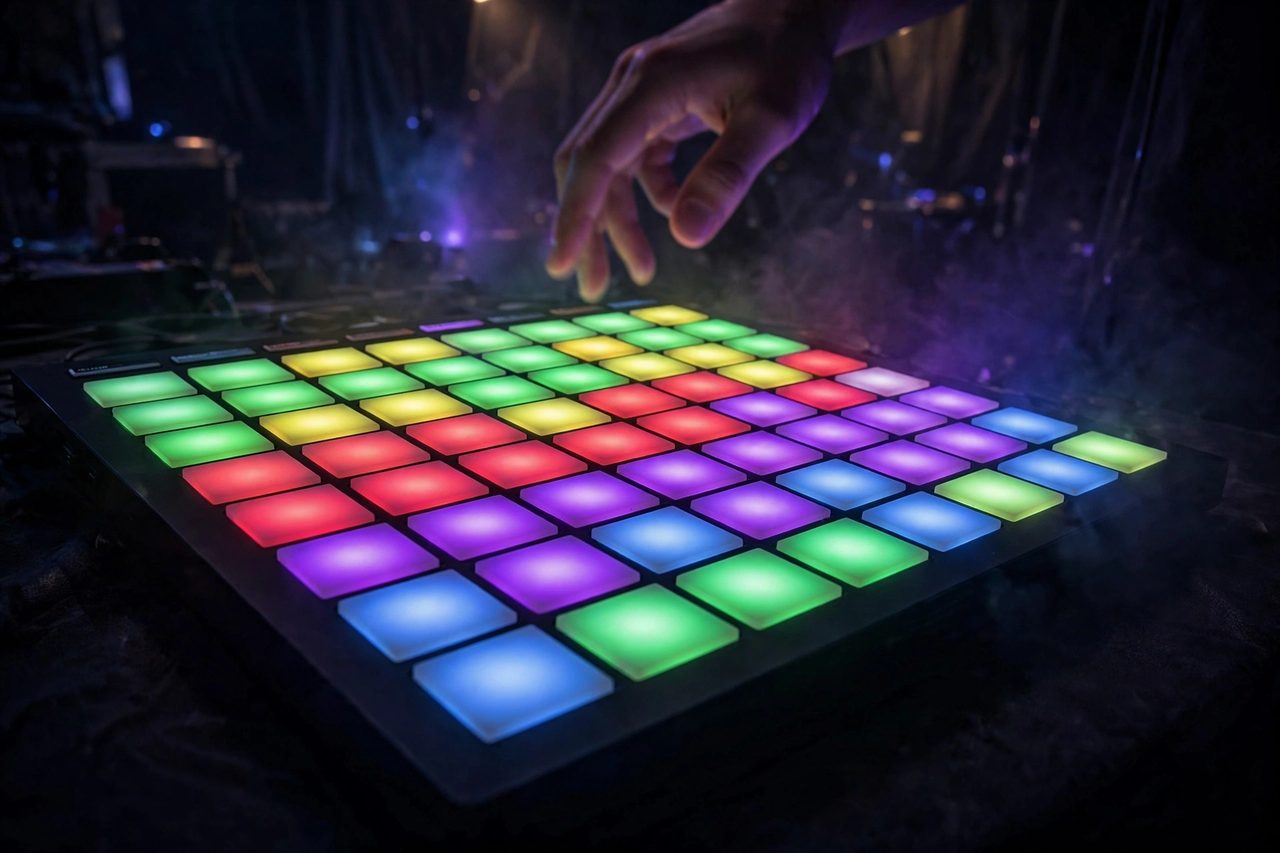 ▶ Play now — free
Get it on Google Play — free
Free · No install · No sign-up · Works on phone, tablet & computer
Start playing in 3 steps
- Open the pad. Tap Play now above — no download, no account.
- Tap a pad once to unlock sound. Then play: the grid follows your scale, the bottom row is drums, the right column plays chords.
- Record a loop. Hit Rec, play something, and it repeats — layer more on top with overdub, or share your settings with one link.
Inside the pad
🎹 8x8 pad grid, synthesized sound
64 velocity-sensitive pads with multi-touch and Web Audio synthesis — no audio files needed. Moving up a row shifts notes by two scale steps, and root notes are outlined in white.
🎼 Scales, keys & sounds
Major, Minor, Penta and Blues scales, root and octave shift, and 12 sounds: Sine, Triangle, Square, Saw, Pluck, Pad, FM Bell, FM E-Piano, Organ, Supersaw, 808 Bass and Chip — plus Hold and Delay effects.
🥁 Chords & drum pads
The right column plays three-note chords built on each row, and the bottom row is a full drum kit: Kick, Snare, Hat, Clap, Tom, Rim, Crash and Zap — in Classic or 808 flavour.
🥁 Beat maker
8 drums × 16 steps per bar, 1–4 bars, swing and 3 hit levels (soft, normal, accent), with 8 ready-made patterns — Basic Rock, House, Hip-hop, Trap, Lo-fi, Reggaeton, Funk and Breakbeat — playing in sync with your loop and metronome.
🔁 Looper with overdub
Rec, Play and Clear with a 1-bar count-in, overdub layering and undo, a drift-free metronome, 40–200 BPM tempo control and quantize that snaps notes to the nearest 1/16 note. Your loop is auto-saved and can be kept in a saved-loop library — or exported as a WAV file.
🎤 Your own samples
Load any audio file onto a pad, or hold a pad to record from your microphone. Samples are saved in your browser and still there next time.
🎓 Learn mode
12 guided songs — Twinkle Twinkle Little Star, Ode to Joy, Mary Had a Little Lamb, Jingle Bells and 8 more. Listen to the demo, then play along: the next pad glows until you press it, and you get a timing score out of 100 with 1–3 stars. Your best stars are saved.
🎨 Colours & light FX
14 colour themes for the pads — Sunset, Ocean, Fire, Aurora, Neon and more — and 14 light effects that ripple across the grid as you play: Ripple, Fireworks, Vortex, Lightning, Rainbow and more.
Who is Launchpad Pro Web for?
| You are… | What you get |
|---|---|
| Curious about beat-making | A real pad grid in your browser — start making music in seconds, no gear to buy |
| Learning music | Scales, chords and guided songs that teach melodies one glowing pad at a time |
| A finger-drummer | Multi-touch pads, velocity by touch position, glide across pads and an arpeggiator |
| Just having fun | Open it on your phone, tap around, record a loop and share your settings with friends |
More SumoPlay music: play a full drum kit with the Drums app, or learn piano step by step with the Piano app. New here? Read the 10-minute beginner guide first.
Frequently asked questions
Is Launchpad Pro Web really free?
Yes — free to play in your browser, no install, no account, no payment.
What devices does it work on?
Phones, tablets and computers. Multi-touch on mobile; mouse and keyboard on desktop — keys 1–8, Q–I, A–K and Z–comma map to the four pad rows.
Do my loops and samples get saved?
Your samples are saved in your browser (on your device) and are still there next time. Your current loop is auto-saved too, and you can keep named loops in a saved-loop library — or export a loop as a WAV file with the WAV button.
Can I share my setup with a friend?
Yes — the Share button copies a link that applies your scale, key, octave, sound, drum kit, theme, light effect, tempo and toggles when your friend opens it.
Why is there no sound?
Tap a pad once to unlock audio, check your volume, and on iPhone check the silent switch. Microphone recording needs an HTTPS page — SumoPlay is served over HTTPS.
Your pad is already plugged in.
Open Launchpad Pro Web and start playing — free, right now, in your browser.
▶ Play Launchpad Pro Web free Get it on Google Play — free